

Top 5 Online Circuit Simulators
Designing electronics has never been easier thanks to online circuit simulators. These web-based tools let you build, test, and analyze circuits without installing heavy software. Whether you’re a student, hobbyist, or professional engineer, you can access powerful simulation features from any browser. In this guide, we explore the top five online circuit simulators that combine ease of use with advanced functionality. Moreover, each platform offers unique strengths to match different learning styles and project needs.
Why Use an Online Circuit Simulator?
First, online circuit simulators save time and space. You avoid downloading large programs or managing complex licenses. Additionally, they work across devices—laptops, tablets, even phones. Furthermore, many support real-time collaboration, so teams can design together from different locations. Above all, these tools help you catch errors before building physical prototypes, which reduces cost and frustration. For beginners, visual feedback and guided interfaces make learning electronics far less intimidating.
Benefits of Web-Based Circuit Design Tools
Web-based simulators offer instant access with no setup. You simply log in and start designing. Also, updates happen automatically—no manual patches or version checks. Besides, most include built-in component libraries, so you don’t waste time sourcing parts. Equally important, they often integrate simulation, schematic capture, and PCB layout in one place. As a result, your workflow stays smooth from concept to final design.
1. EasyEDA: All-in-One Online Circuit Simulator
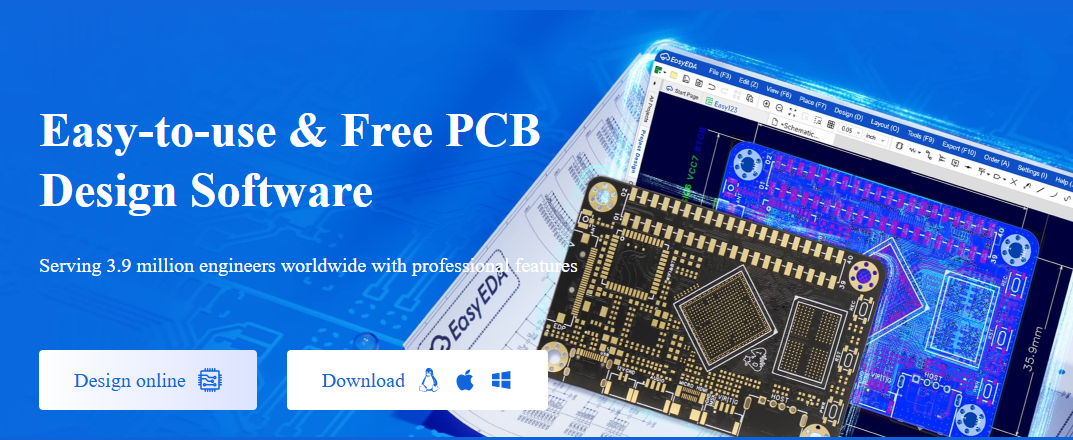
EasyEDA stands out as a complete web-based Electronic Design Automation (EDA) suite. It combines schematic design, SPICE simulation, and PCB layout in a single browser window. Because of this integration, you can move seamlessly from idea to prototype. Whether you’re new to electronics or managing complex projects, EasyEDA scales with your skill level.
One major advantage is its compatibility with industry tools. EasyEDA imports files from LTspice and KiCad, so you can continue existing projects without starting over. Moreover, its component library includes millions of real-world parts, complete with footprints and datasheets. This saves hours of manual research. Also, team collaboration features let multiple users edit the same design in real time.
Key Features of EasyEDA
EasyEDA offers schematic capture with drag-and-drop simplicity. Its SPICE engine runs fast simulations for analog, digital, and mixed-signal circuits. You can also design professional PCBs directly in the browser. In addition, the platform supports 3D board previews and Gerber file export for manufacturing. Best of all, it’s free for basic use, with optional paid plans for advanced needs.
For students and educators, EasyEDA provides tutorials and community examples. Consequently, learning becomes hands-on and practical. Meanwhile, professionals appreciate the seamless transition from simulation to production-ready layouts.
Learn More: Visit EasyEDA
2. Tinkercad Circuits: Best for Beginners and Arduino Projects
Tinkercad Circuits, created by Autodesk, is perfect for learning electronics and coding. It uses a visual breadboard interface that mimics real-world setups. Therefore, beginners understand how components connect physically and electrically. Additionally, it supports Arduino and Micro:bit microcontrollers, making it ideal for IoT and robotics projects.
What truly sets Tinkercad apart is its dual coding system. You can write code using blocks (like Scratch) or switch to real C++ text. As a result, learners progress naturally from visual logic to professional programming. At the same time, the simulator runs your code instantly, showing LED blinks, motor spins, or sensor readings in real time.
Why Choose Tinkercad Circuits?
Its simplicity lowers the entry barrier for new designers. You drag parts onto a virtual breadboard, wire them up, and simulate—all in minutes. Moreover, the built-in lessons guide you through basic to advanced concepts. For teachers, assignment sharing and class management tools streamline remote learning. Likewise, hobbyists love the quick prototyping for DIY electronics.
Although it lacks advanced SPICE analysis, Tinkercad excels in education and rapid concept testing. If your goal is to learn or build simple embedded systems, this is the best online circuit simulator for the job.
Learn More: Visit Tinkercad Circuits
3. CircuitLab: Fast and Clean Circuit Simulation
CircuitLab delivers a sleek, no-frills experience for analog and digital circuit simulation. Its interface is clean and intuitive, so you spend less time learning the tool and more time designing. Whether you’re verifying a filter circuit or debugging a logic gate, CircuitLab gives accurate results quickly.
One standout feature is real-time analysis. As you adjust resistor values or input signals, the output graphs update instantly. This immediate feedback helps you understand cause-and-effect relationships in circuits. Furthermore, you can share live circuit links with classmates or colleagues for feedback or collaboration.
CircuitLab’s Core Strengths
It includes a rich library of passive and active components, op-amps, transistors, and digital ICs. You can run DC, AC, and transient analyses with just a few clicks. Also, the schematic editor uses smart wiring that auto-connects nodes, reducing errors. Although it doesn’t do PCB design, it’s unmatched for pure circuit simulation tasks.
Students use CircuitLab for homework and lab prep. Engineers rely on it for quick sanity checks before building hardware. Because it’s entirely browser-based, you can access your designs from any computer without syncing files.
Learn More: Visit CircuitLab
4. EveryCircuit: Real-Time Visual Circuit Simulator
EveryCircuit turns abstract electronics into a visual experience. Instead of just numbers and graphs, you see animated current flow and voltage changes in real time. Consequently, complex concepts like RC charging or transistor switching become intuitive. This makes it especially powerful for visual learners.
The simulator runs on both web browsers and mobile apps (iOS and Android). So, you can experiment during a commute or troubleshoot a design from your couch. Its touch-friendly interface works smoothly on tablets, offering a unique on-the-go electronics lab.
Interactive Learning with EveryCircuit
EveryCircuit displays voltage as color gradients and current as moving dots. You watch electricity “flow” through resistors, capacitors, and LEDs. This dynamic view builds deep intuition about circuit behavior. Additionally, the app includes pre-built examples—from blinkers to amplifiers—to jumpstart your learning.
While it doesn’t support PCB design or microcontrollers, EveryCircuit shines in analog and basic digital simulation. If you want to *see* how circuits work—not just calculate them—this is your best online circuit simulator.
Learn More: Visit EveryCircuit
5. Multisim Live: Professional SPICE Simulation Online
Multisim Live brings National Instruments’ trusted SPICE engine to the cloud. It’s built for accuracy and depth, making it suitable for university labs and professional R&D. Unlike simpler tools, it handles complex analog, digital, and mixed-signal circuits with precision.
Its component library includes real manufacturer models from Texas Instruments, Analog Devices, and others. Therefore, your simulations reflect real-world performance. Also, interactive analysis tools let you probe voltages, sweep parameters, and plot Bode diagrams—all in the browser.
Multisim Live for Education and Industry
Educators use Multisim Live to create virtual labs that mirror physical equipment. Students gain hands-on experience without risking expensive hardware. Meanwhile, engineers use it to validate designs before prototyping. Collaboration features allow teams to comment, share, and iterate on circuits securely.
Although the free tier has some limits, it’s more than enough for learning and small projects. For advanced users, NI offers academic and commercial licenses with full capabilities.
Learn More: Visit NI Multisim Live
How to Choose the Right Online Circuit Simulator
Your choice depends on your goals. If you need full design-to-PCB workflow, pick EasyEDA. For Arduino and beginner-friendly coding, go with Tinkercad Circuits. When you want fast, clean simulation without extras, CircuitLab is ideal. To visualize electricity in motion, EveryCircuit wins. And for professional-grade SPICE analysis, Multisim Live leads the pack.
Also, consider your device. Tinkercad and EveryCircuit work great on tablets. EasyEDA and Multisim Live suit desktop workflows. Meanwhile, CircuitLab balances both. Finally, check if you need collaboration—EasyEDA and Multisim Live support team features best.
Start Simulating Today—No Installation Needed
All five platforms run in your browser. Simply create a free account and begin designing. You’ll save time, reduce errors, and deepen your understanding of electronics. Whether you’re building a simple LED circuit or analyzing a power supply, an online circuit simulator makes the process faster and more enjoyable.
So, pick one that matches your skill level and project type. Experiment, learn, and iterate—all without soldering a single joint.
        // Define pin connections
        const int trigPin = 9;
        const int echoPin = 10;
        const int ledPin = 8;

        // Set a distance threshold for detecting movement (in cm)
        const int movementThreshold = 50; // Adjust this to your desired distance

        void setup() {

          // Initialize pin modes
          pinMode(trigPin, OUTPUT);
          pinMode(echoPin, INPUT);
          pinMode(ledPin, OUTPUT);

          // Start Serial Monitor for debugging
          Serial.begin(9600);
          Serial.println("Starting distance sensor...");
        }

        void loop() {

          // Trigger the sensor to send out a pulse
          digitalWrite(trigPin, LOW);
          delayMicroseconds(2);
          digitalWrite(trigPin, HIGH);
          delayMicroseconds(10);
          digitalWrite(trigPin, LOW);

          // Measure the duration of the pulse
          long duration = pulseIn(echoPin, HIGH);

          // Calculate distance (in cm)
          int distance = duration * 0.034 / 2;

          // Print distance to Serial Monitor for debugging
          Serial.print("Distance: ");
          Serial.print(distance);
          Serial.println(" cm");

          // Check if an object is within the threshold distance
          if (distance > 0 && distance <= movementThreshold) {
            Serial.println("Object detected within range. Turning LED on.");
            digitalWrite(ledPin, HIGH); // Turn on the LED
          } else {
            Serial.println("No object detected or out of range. Turning LED off.");
            digitalWrite(ledPin, LOW); // Turn off the LED
          }

          // Delay to avoid overwhelming the sensor
          delay(200);
        }
Final Thoughts on Online Circuit Simulators
Online circuit simulators have revolutionized how we learn and design electronics. They remove barriers, boost creativity, and accelerate innovation. By trying the top five tools listed here, you’ll find the perfect match for your needs. Start today—your next great circuit is just a few clicks away.
Remember: simulation isn’t a replacement for real hardware, but it’s the smartest first step. Test ideas virtually, then build with confidence.
- Embedded Electronics — Home
- Build an Arduino Calculator with LCD Keypad
- Arduino Calculator Project
- Smart Parking System with Arduino (Real-Time Monitoring + Automated Gate)
- 5 Simple Arduino Projects for Beginners
- Arduino Multiplexer LED Projects
- Arduino Traffic Light System
- Arduino 7-Segment Display Project
- Arduino Interrupts: Button + LED Control


Leave a Reply