
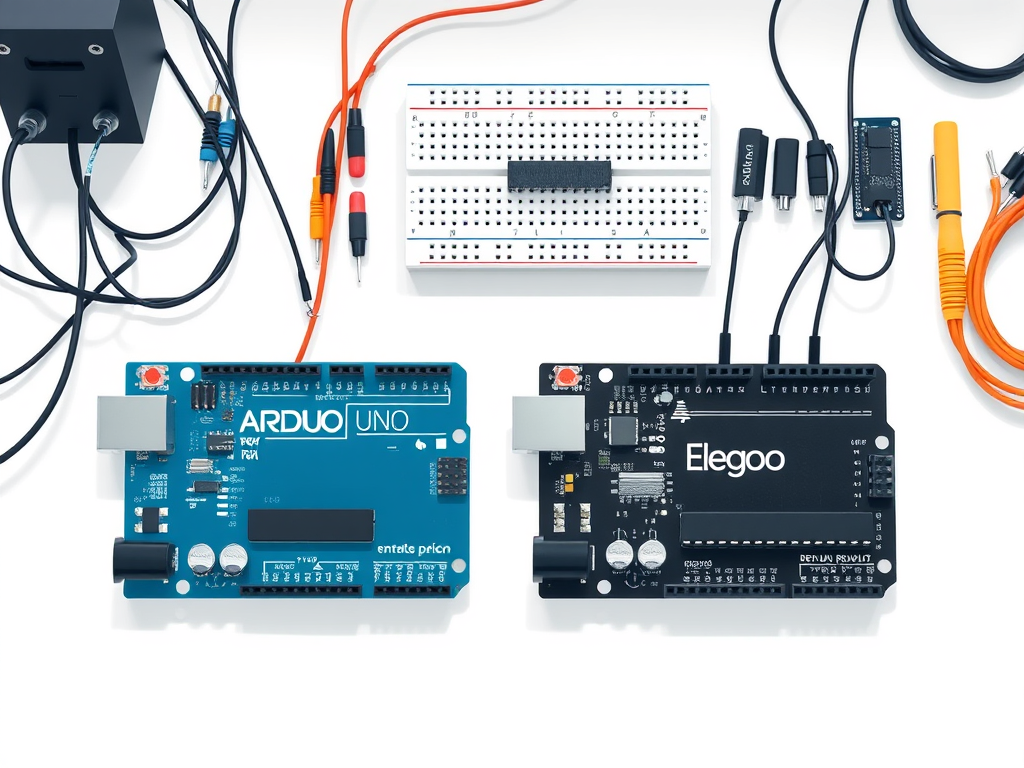
What are Arduino and Elegoo?
Arduino is the original open-source microcontroller platform (launched in 2005) that made electronics easy for makers. Elegoo is a newer company that builds Arduino-compatible boards (clones) at lower prices[1]. In practice, an Elegoo board (like the Uno R3) is designed from the same schematics as an Arduino Uno. Both use the same ATmega microcontrollers and work with the Arduino IDE. The main difference is branding: Arduino is the trusted name with a huge community, while Elegoo offers affordable alternatives that look and work just like Arduinos.

[2].
Arduino UNO R3 vs Elegoo UNO R3
Both the official Arduino Uno R3 and the Elegoo Uno R3 run the same ATmega328P microcontroller at 16 MHz. They share the same pin layout (14 digital I/O, 6 analog inputs), voltage (5 V), and clock speed[2]. This means code, shields, and tutorials for one will work on the other. According to MakeUseOf, “the Elegoo Uno R3 shares many features with the Arduino Uno R3,” including compatibility with the Arduino IDE and shield connectors[2]. In short, the boards are functionally equivalent in most ways.
One subtle difference: some Elegoo Unos use a DIP-packaged ATmega328P instead of the surface-mount version. This can be an advantage if you ever need to swap chips (burning an ATmega is easier when it’s in a socket)[3]. Many beginner builders actually prefer this because you can pull the chip out if needed. However, the trade-off is mostly physical; software support is the same.
The big practical differences are price and build quality. Genuine Arduino boards cost more (often ~$30 for an Uno kit), whereas Elegoo Unos are much cheaper (often ~$10–15). Elegoo’s lower price comes with slightly less polish: components and soldering may vary more in quality. As the MakeUseOf summary notes, “Arduino boards are known for high quality, while Elegoo boards offer decent quality at a lower price point”[4]. In other words, you pay extra for the official label and guaranteed support. For beginners on a budget, an Elegoo Uno R3 clone (for example, the Elegoo UNO R3 Board) gives you the same functionality for a fraction of the cost.
Arduino Mega 2560 vs Elegoo Mega 2560
If you need more inputs, the Arduino Mega 2560 and its Elegoo clone step things up. The Mega uses an ATmega2560 microcontroller, which has 54 digital I/O pins and 16 analog inputs[5]. In comparison, the Uno has only 14 digital and 6 analog. A Reddit user explains the trade-off well: “The Mega2560 is a step up, based around the AtMega2560. This has a ton more pins, more complex I/O, and a massive program memory… it can do everything the Uno can do”[6]. In short, the Mega can handle bigger projects (like 3D printers or robotics) at the cost of being larger and typically more expensive than an Uno.
The Elegoo Mega 2560 clone matches those specs. It still uses the ATmega2560 chip, so it offers the same pin count and 256 KB of flash memory[5]. The Elegoo Mega R3 board is marketed as fully compatible with Arduino projects. For example, its Amazon description highlights 54 digital I/O pins (15 PWM) and 16 analog inputs, all running on an ATmega2560 just like the official board[5]. As with the Uno, the Elegoo Mega is significantly cheaper. You’ll often find Elegoo Mega boards for under $20, whereas an official Arduino Mega can cost $45+.
In practical use, both Mega boards work the same way. Any code or shield that runs on an Arduino Mega will run on the Elegoo Mega 2560. The only differences are the name on the silkscreen and the warranty. For many hobbyists, an Elegoo Mega is an attractive alternative since it lets you experiment with many pins and sensors for less money. Just remember the build quality is “decent” rather than premium[4].
Starter Kits and Community Support
Both Arduino and Elegoo offer starter kits with the basics for learning. Arduino’s official kits are quite expensive but come with branded project guides. Elegoo’s kits pack in lots of sensors and parts at a lower total price. According to MakeUseOf, Elegoo’s kits are “cost-effective and component-rich,” giving beginners more bang for the buck[7]. For example, the Elegoo Uno Super Starter Kit includes an Uno R3 board, breadboard, LEDs, sensors, motors, and a 24-lesson tutorial, all at a budget price.
In terms of support, Arduino still has the edge. The Arduino community is huge, with extensive forums, documentation, and libraries. Elegoo’s user base is smaller, but because the hardware and software are identical, you can use all Arduino resources with an Elegoo board. (Elegoo even highlights that their products are “100% compatible” with Arduino software and sensors[8].) In short, if you run into issues, Google searches for Arduino tutorials will help you whether you have an Arduino or Elegoo board.
Which Should You Choose?
Choosing comes down to needs and budget. If you want the reassurance of top-notch quality and official support—and budget isn’t an issue—go for the original Arduino. However, if you’re starting out or working on a tight budget, Elegoo boards offer nearly the same features at a lower cost. As one Arduino forum veteran put it: “a clone in the trash bin is better than an original one”[9], meaning it’s often safer to experiment with a cheap clone than risk damaging an expensive board.
In practice, Elegoo clones have proven themselves for most learners. They use the same Arduino IDE, behave identically in circuits, and allow you to learn without breaking the bank. So if cost is a concern, an Elegoo board (or kit) is hard to beat. On the other hand, if you value brand reputation or have a large team relying on official support, original Arduino might be worth the premium.
Ultimately, it’s not about “better” – it’s about fit. Think of Arduino and Elegoo like brand-name vs. generic electronics. The generic does the job at a discount. Now that you know the facts (and remember, both use the same ATmega chips!), you can pick whichever board makes sense for your project and wallet.
FAQ
Q: Are Elegoo boards legal to use and fully compatible with Arduino?
A: Yes. Arduino’s design is open-source, so clone boards like Elegoo are legal. Elegoo builds their boards to match Arduino’s specs, and they work with the official Arduino IDE and libraries. In fact, Elegoo emphasizes that its clone boards are “100% compatible with the official Arduino microcontroller boards”[8]. You won’t need any special software—Arduino tutorials and code will run on an Elegoo board without changes.
Q: Is there any functional difference in using an Elegoo vs. Arduino Uno?
A: Functionally, no. Both use the same microcontroller, same clock speed, and same pin assignments. All features (digital I/O, analog inputs, PWM pins, serial ports) are identical[2]. The only differences are non-technical: the Elegoo has its own label/brand and a cheaper price tag. Even USB connectivity is the same (Elegoo UNO R3 uses the same ATmega16U2 USB chip as the Arduino Uno[2]), so sketches upload and run the same way.
Q: Which one is better for beginners, Arduino or Elegoo?
A: For beginners on a budget, Elegoo boards are a great choice because they let you afford more components and accessories. Many experienced makers recommend starting with a cheap clone so you can learn freely[9]. When you’re learning, you might burn or break components, and it’s cheaper to replace a clone. Once you’re comfortable, you can always upgrade to an Arduino later if you want. Either way, the learning curve is the same.
Q: Which boards should I use for large projects (like many sensors)?
A: If your project needs a lot of inputs/outputs, look at the Mega 2560 versions. Both Arduino Mega and Elegoo Mega have 54 digital and 16 analog pins[5]. The Elegoo Mega 2560 R3 is literally the same hardware spec as the Arduino Mega, just cheaper. It’s great for robotics or 3D printers where you need dozens of connections. For simple projects, the smaller Uno is enough; for anything bigger, the Mega is the better fit.
Q: Can I plug Arduino shields into Elegoo boards (and vice versa)?
A: Yes. Shields that fit an Arduino Uno R3 will fit the Elegoo Uno R3, and Mega shields fit a Mega. The pin layout and voltage are the same, so shields stack on top interchangeably. This means you can buy an Arduino sensor shield or Wi-Fi shield and use it with your Elegoo board without issues, and all libraries will work the same way.
Q: Are there any quality differences I should worry about?
A: In general, Arduino boards are built with very high quality and undergo strict testing. Elegoo boards are good quality for the price, but you might notice small variations (for example, slightly different solder work or components). For most projects, Elegoo’s “decent” quality is fine. If you need rock-solid reliability (for a critical project or product), an official Arduino might give extra peace of mind. Otherwise, Elegoo is an excellent budget-friendly option.
Q: Where can I buy Elegoo Arduino boards?
A: You can find Elegoo boards and kits on Amazon. For example, the Elegoo Uno R3 Board is a popular choice, and the Elegoo Mega2560 R3 Board is available if you need more pins. There are also starter kits like the Elegoo Uno Super Starter Kit that include a board plus many sensors and a tutorial – these kits are very budget-friendly and great for learning.
[1] [2] [4] [7] Elegoo vs. Arduino: Is There Any Difference? – PiShop Blog
[3] [9] What should i choose? – General Guidance – Arduino Forum
https://forum.arduino.cc/t/what-should-i-choose/1365687
[5] Amazon.com: ELEGOO MEGA R3 Board ATmega 2560 + USB Cable Compatible with Arduino IDE Projects RoHS Compliant : Electronics
[6] Elegoo Mega2560 R3 v ELEGOO UNO R3 Starter Kits : r/arduino
[8] Amazon.com: ELEGOO UNO Project Super Starter Kit with Tutorial and UNO R3 Board Compatible with Arduino IDE : Electronics


Leave a Reply